Resize a YouTube Banner to 2560 x 1440, Free
Resize an image to 2560 x 1440, the YouTube channel banner size YouTube recommends. Crop or pad to 16:9 and keep your logo in the safe area. Free, nothing uploaded.
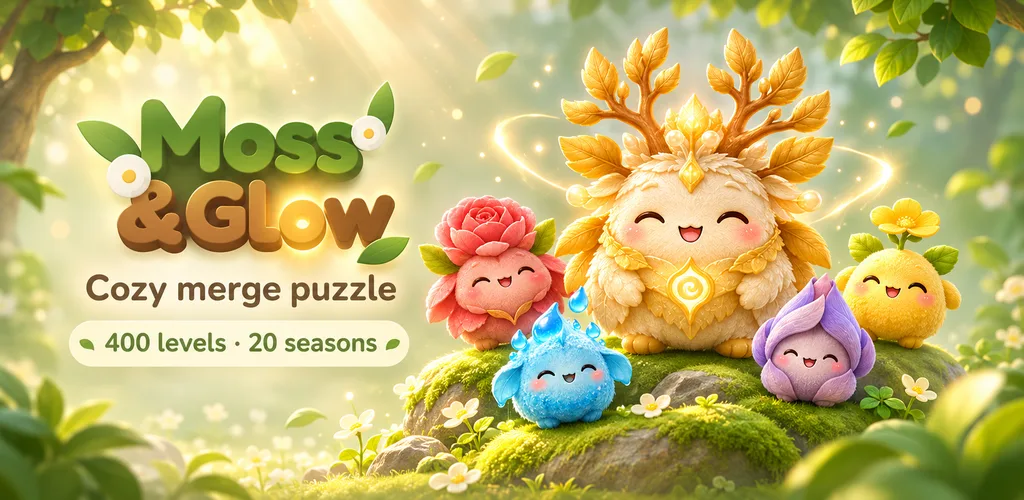
 Got 2 minutes? Unwind with Moss & Glow, the cozy merge game made by the BatchSet team.Play free
Free — no signup, runs in your browser
Resize as many images as you like on your device — nothing is uploaded.
How many sizes do you need?
Drop images, or click to browse
JPG, PNG, WebP, AVIF, HEIC, TIFF, GIF, BMP, SVG, up to 10 MB each. Add as many as you like.
100% private. Resizing runs in your browser — your images are never uploaded.
Made by the BatchSet team
Your cozy coffee-break game 🌿
Drop little forest friends, merge two of a kind and watch them grow, from a tiny Seedlet all the way to the golden Worldtree. Calm, cute and made for a few minutes between tasks.
- 400 levels
- 21 friends to discover
- 20 seasons
- Free
Quick answer
BatchSet's YouTube banner resizer resizes an image to 2560 x 1440 free and in the browser, cropping or padding to 16:9. YouTube's channel branding help (read 20 November 2026) gives a minimum of 2048 x 1152 px, recommends 2560 x 1440 px, a file of 6 MB or smaller, and a 1235 x 338 px safe area for text and logos at the minimum size.
How to use the YouTube Banner Resizer
Three quick steps — free, private, right in your browser.
Add your image
Drop a wide photo or design. JPG, PNG, WebP, iPhone HEIC and more.
Crop or pad
The size is set to 2560 x 1440 with Fit on Crop. Choose Pad to keep the whole image with bars in a colour you pick.
Resize and upload
Download the banner and upload it from your channel settings in YouTube Studio.
Features
- Opens set to 2560 x 1440 (16:9)
- Crop to fill, or pad with a colour
- Safe area explained, 1235 x 338
- JPG, PNG, WebP, HEIC and more in
- Runs in your browser, no upload
- Free, no sign-up
Use Cases
- Make channel art from a wide photo
- Fix a banner YouTube rejects as too small
- Resize one design for TV, desktop and phone
- Refresh a banner without design software
Frequently asked questions
What size is a YouTube banner?+
YouTube's channel branding page gives a minimum of 2048 x 1152 px at 16:9, recommends 2560 x 1440 px, especially for TV, and a file of 6 MB or smaller. We read this on support.google.com on 20 November 2026.
What is the safe area?+
Phones and computers show only a strip across the middle of the banner. YouTube says that at the minimum size the safe area for text and logos is 1235 x 338 px, so keep your name and logo inside that central strip.
Why does YouTube say my banner is too small?+
It is under 2048 x 1152. Resizing here makes it 2560 x 1440. If the original is much smaller, it will look soft, so start from the largest version you have.
My banner is over 6 MB. What now?+
Save it as JPG, or run it through the JPEG compressor. A 2560 x 1440 JPG is usually well under 6 MB.
Are my images uploaded?+
No. The resizing runs in your browser and nothing leaves your device.
Related free tools
YouTube Thumbnail Resizer
Make any image a 16:9 YouTube thumbnail. The tool opens at 1920 x 1080, crops or pads to fit, and does many images at once. Free, no sign-up, nothing uploaded.
OpenJPEG Compressor
Compress JPG and JPEG images in your browser. Pick a quality, see the saving on every file, download one at a time or all as a ZIP. Free, no signup, nothing uploaded.
OpenSocial Resizer
Resize images to perfect dimensions for 8 platforms. 28 preset sizes for Instagram, Facebook, LinkedIn, Twitter, YouTube, TikTok and more. Free online tool.
OpenBulk Image Resizer
Batch resize many photos at once, free in your browser. Set a width, height, percentage or one exact size for every photo, keep the aspect ratio, and download one ZIP. No signup, no upload.
OpenWant more power?
Unlock bulk Excel jobs, watermarking, file backup and more. Free to start.
Start for Free — No Card Required